🔁 How We Automated Our Website Contact Forms (Lovable + n8n + Brevo)
No-code meets low-code — and we finally have peace of mind that every lead from our website is saved!
Have you ever received a lead via your website… and then lost it forever in your inbox chaos? We had that exact problem at Instrovate — until we stitched together a beautiful, automated system using Lovable + n8n + Brevo.
Here’s how we built it — and how you can too.
💡 The Goal
We wanted every contact form submission on our course pages to:
Collect the lead from our Lovable website.
Pass it to n8n via a Webhook.
Format the data and forward it to Brevo (our CRM/email system).
No copy-pasting. No “Oops, we missed that message.” Just clean, reliable automation.
🛠️ Step 1 – Add Contact Form in Lovable
We used Lovable’s built-in drag-and-drop website builder to add a custom contact form on our course landing pages.
▶️ Here’s what it looks like on our PL-300 Power BI training page:
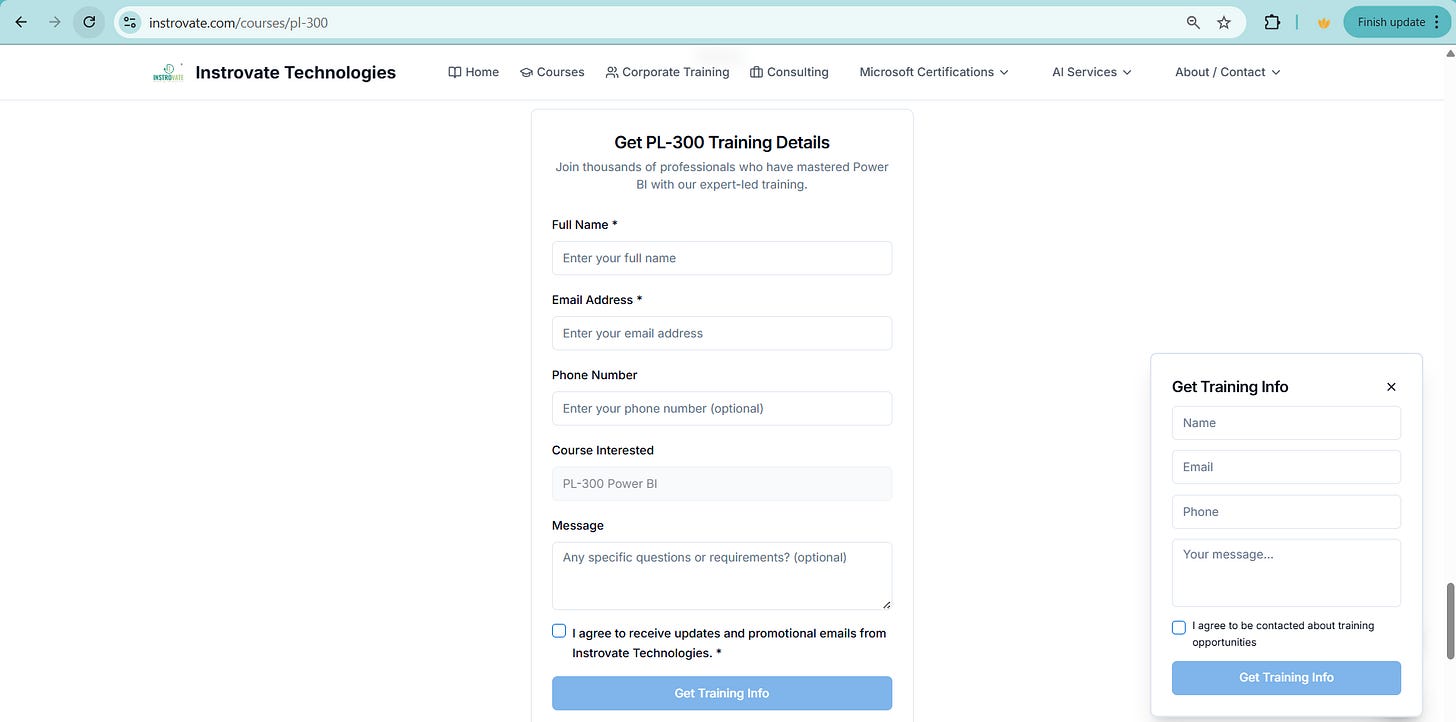
The form asks for Full Name, Email, Phone, Course, and Message.
When the form is submitted, it triggers a webhook — this is where n8n comes in.
🔗 Step 2 – Setup n8n Webhook Workflow
We created a 3-step n8n workflow:
Webhook receives the POST request from Lovable.
Edit Fields node cleans up or re-maps the data.
HTTP Request node sends the data to Brevo using their API.
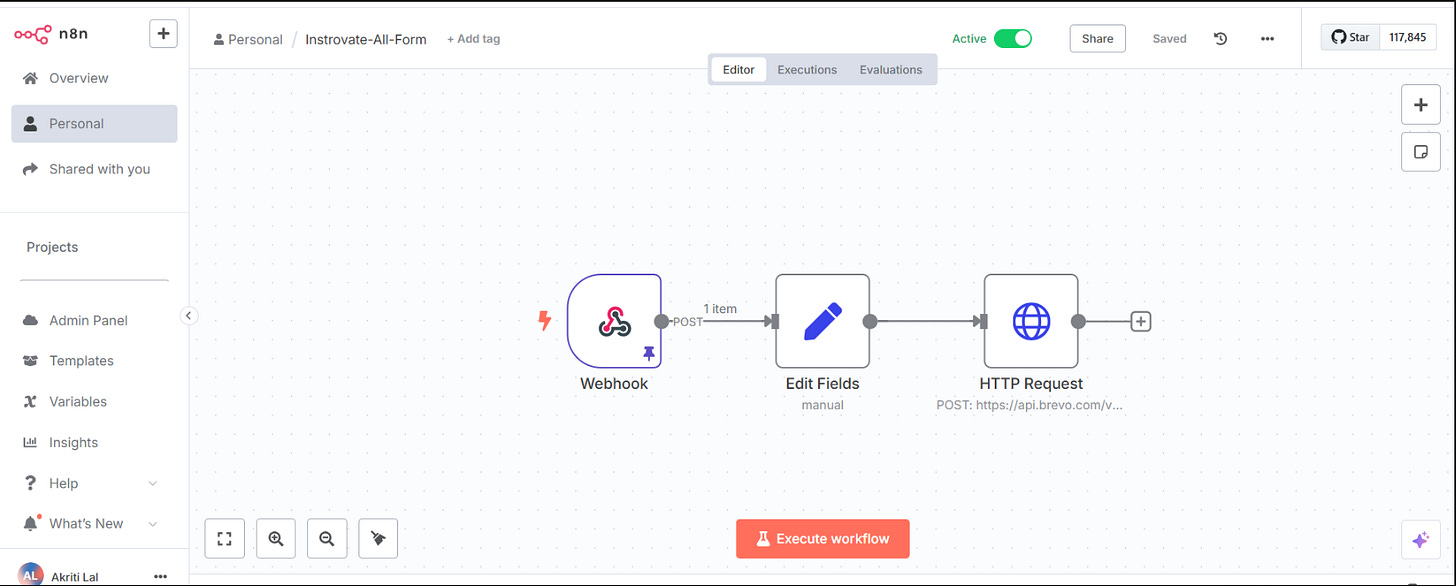
This webhook URL acts as the "production endpoint" — and we set this as the destination in Lovable's form configuration (e.g., via Zapier-style logic or direct embed).
📨 Step 3 – Data Lands in Brevo Automatically
The final node in our n8n flow posts the contact details into Brevo, where we manage all leads.
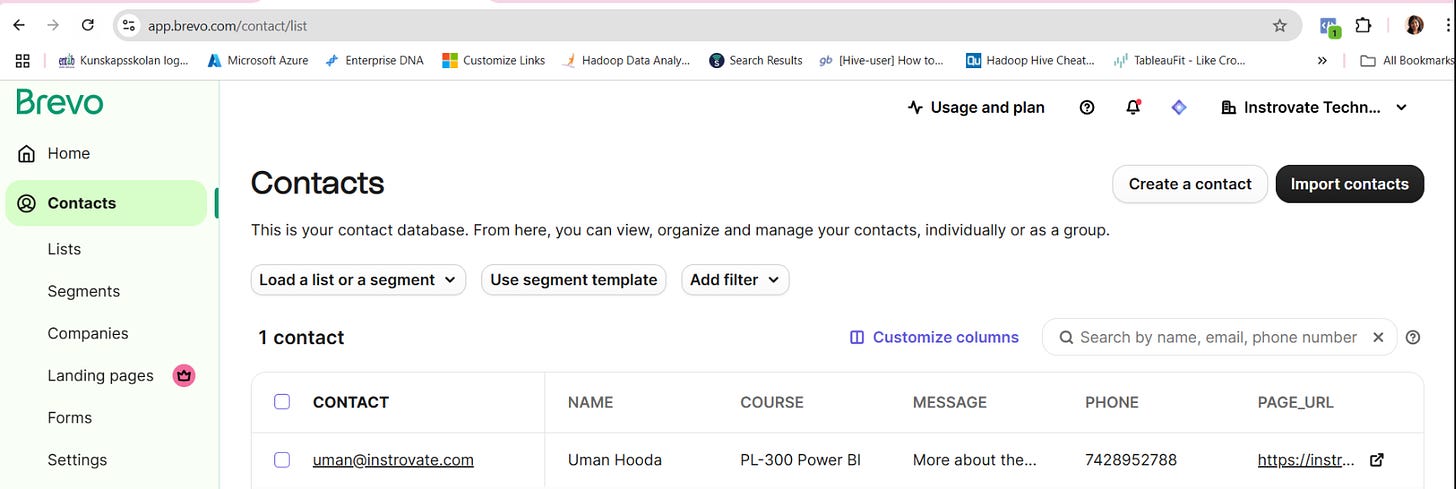
Now, each time someone fills the form, they’re automatically added as a new contact in Brevo — tagged with course interest, phone, and message.
Zero manual effort. 100% trackable.
⚡ Why This Matters
Speed: We respond faster to leads.
No More Leaks: Every lead is stored and trackable.
Scalable: Works for every course page — not just one.
Whether you’re a training company like us or any business collecting website leads, this stack works beautifully:
Lovable (Frontend) + n8n (Middleware) + Brevo (CRM)
✅ What’s Next
We plan to trigger follow-up emails directly from Brevo.
Add custom segments in Brevo for better campaign targeting.
Log leads in Google Sheets or Airtable too (because why not?).
Want help setting this up for your business?
Reach out or comment below — we’re happy to help ✨
If you are getting stuck somewhere and want some direct 1-1 assistance in setting this up , consider becoming a paid subscriber .
Originally published on Substack